
Besides its chords, a song can have a melody and lyrics. You write them in the editor's Lead and Lyrics tabs: open the song, tap Edit in its menu, then the tab.
Writing the melody
The Lead tab shows the song's staves at the top, with the bar being written outlined. Tap a bar there to write it. Under it, the bar itself, large, says which bar it is and how many beats are left.
- Choose a length: Whole, Half, Quarter, Eighth, Sixteenth or Thirty-second, with Dotted or Triplet if needed.
- Tap a key of the piano. The note sounds and is written.
- Go on. When the bar is full, the next one comes in.
The keys beside the piano move it an octave up or down. Rest writes a rest; Sharp, Flat and Natural change the note; Tie to the next note ties it. Add a note to this one adds a note that sounds with it. Hear the notes written plays them.
To change a note, tap it on the staff: A semitone up, A semitone down and Delete act on it, and Previous note and Next note move along. The arrows by the bar's name, or a swipe across it, go to another bar. Before the first bar, Pickup adds a pickup.
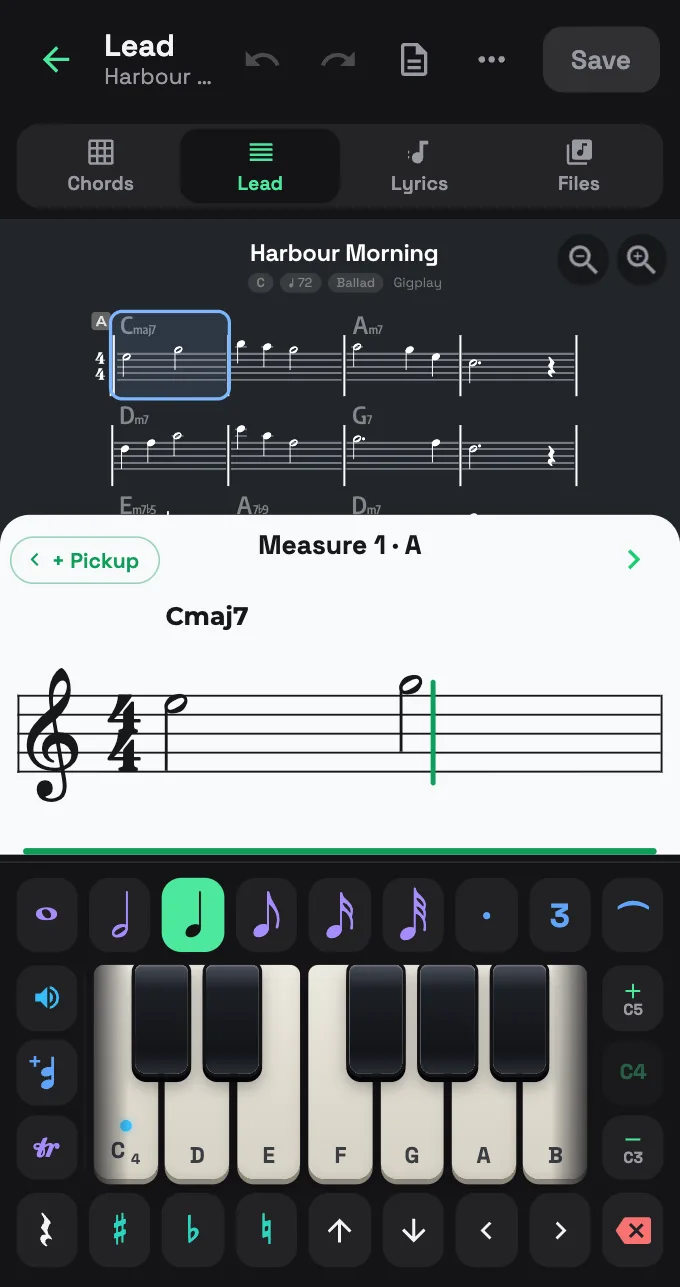
Save keeps the melody and goes back to the song. The ⋯ menu has Clear all notes…, which asks first.
Where the melody shows
In the song's menu, tap More, then Mode:
- Score shows the lead sheet: the melody on staves, the chords over it.
- Chords+Melody shows the chart with the melody on a small staff under each row.
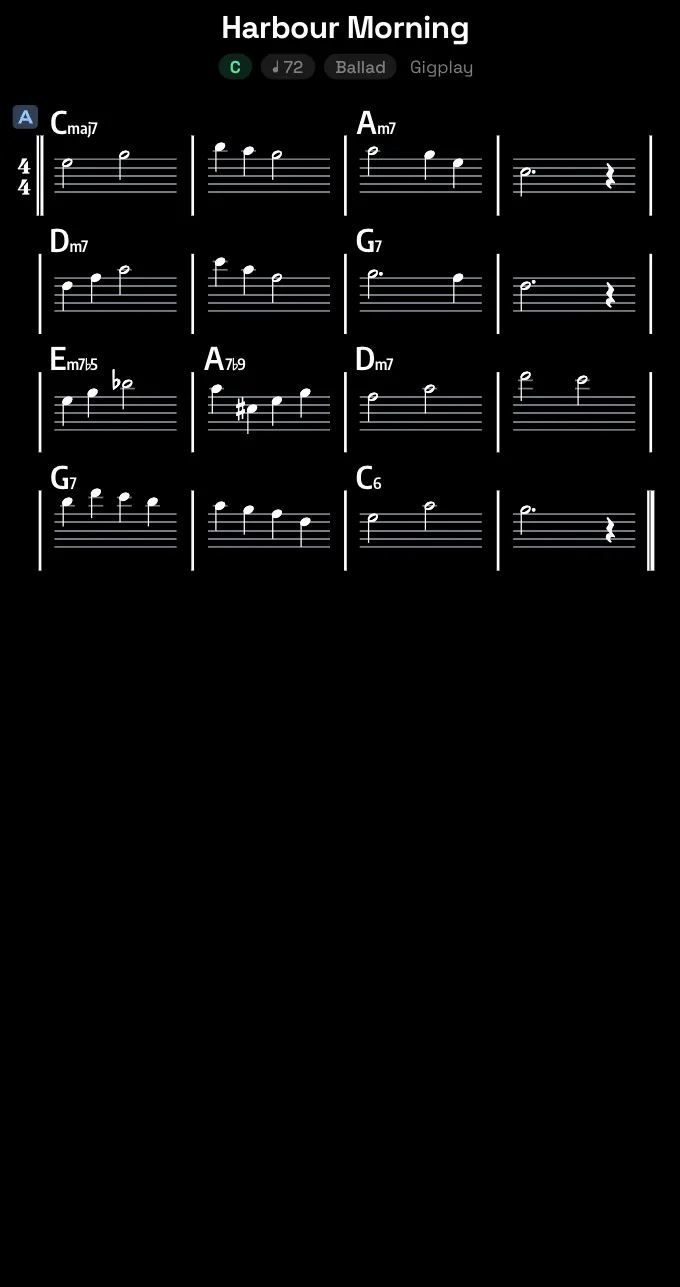
More on the views in Reading a song. The melody changes key with the chords (Transposing).
Writing the lyrics
The Lyrics tab writes the words in one of two ways:
- Text only: the words as you want them shown. The bar at the foot styles them: Bold, Italic, Underline, colours.
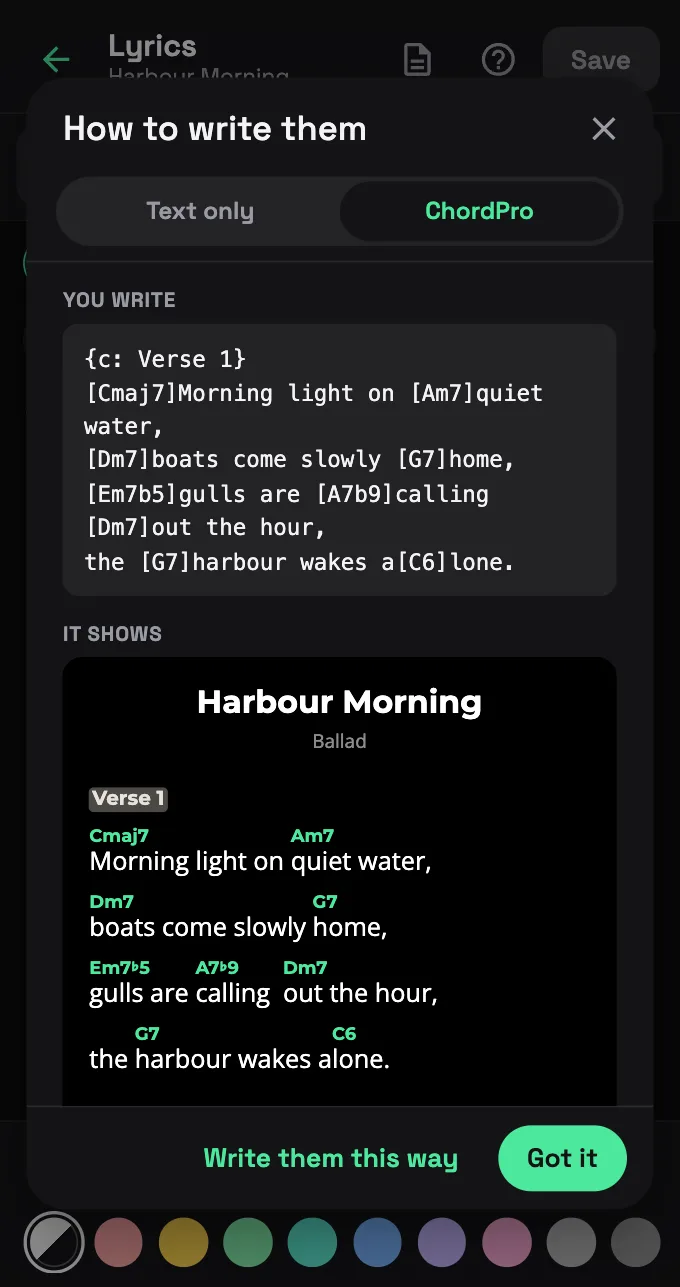
- ChordPro: the words with their chords in brackets, each before the word it falls on:
[F7]Morning light on [Bb7]quiet water. These chords are your own, not the chart's, and change key with the song. A preview shows the result under the field.
The ? button (How to write lyrics) shows an example of each. Original is the song's own lyrics; Language adds them in another language. Tap Save to keep them.
On the chords, the words tied to the chart's bars, is shown in the tab but cannot be chosen.
Where the lyrics show
In the song's menu, tap More, Mode, then Lyrics: the words as a songbook page, the ChordPro chords over them. Lyrics under the chart, in the song's menu, shows each bar's words under it only for lyrics written on the chart's bars; for other lyrics it says This song has no lyrics on its chords.